Quick Links
- Basic Computer Organization
- Program Execution
- Interrupts
- Multiprogramming
- I/O Communication Techniques
Chapter 1.1 Summary — Processor, Interrupts, and I/O
Computer System Overview
- OS manages resources using hardware mechanisms
- Understanding basic hardware is essential (especially for labs)
Basic Computer Organization
Components
- CPU, Memory, I/O Devices, Interconnect (bus)
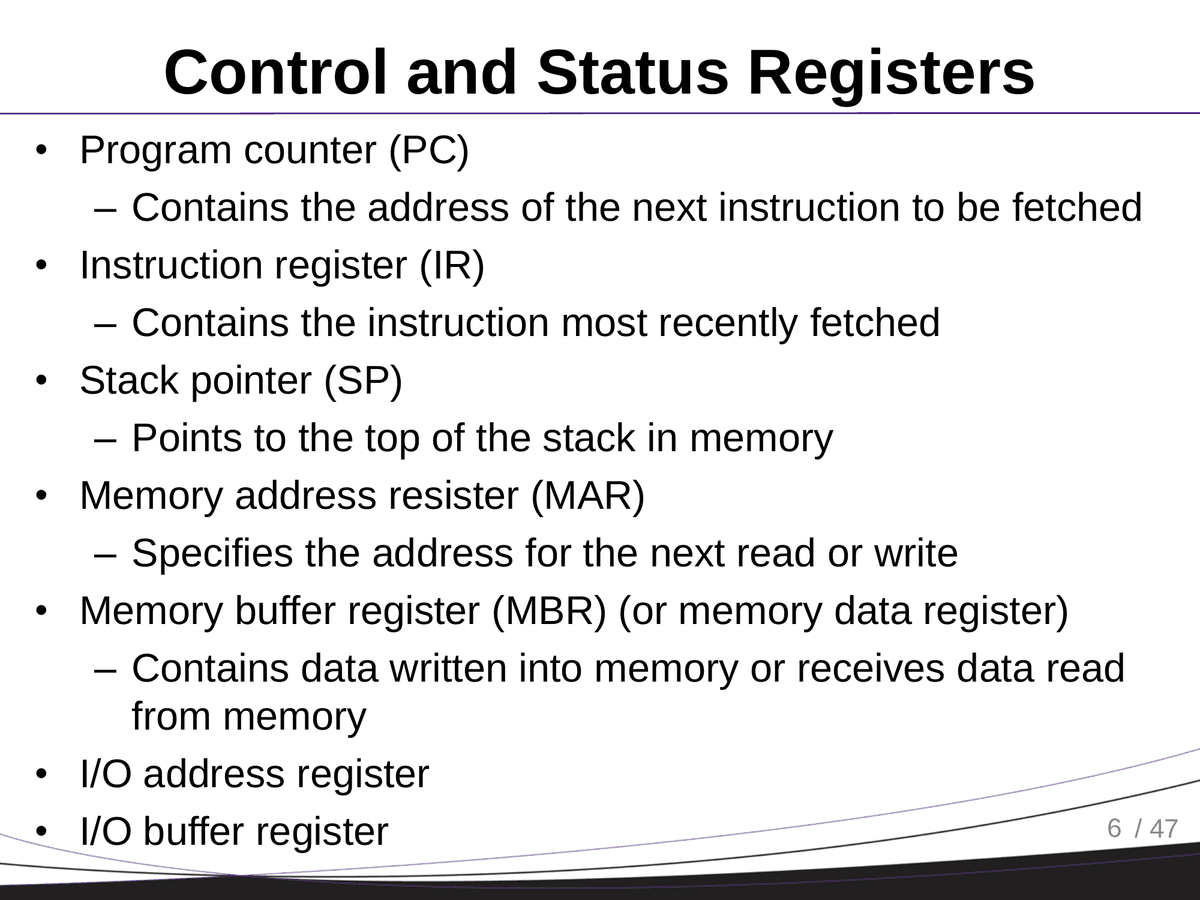
Control and Status Registers
- Invisible to users but essential for processor control
- Examples:
PC(Program Counter): address of next instructionIR(Instruction Register): currently fetched instructionSP(Stack Pointer): top of the stackMAR/MBR: address and data transferPSW(Program Status Word): flags like zero, overflow, supervisor mode
User-Visible Registers
- Accessible to all programs
- Controlled by compilers or explicitly via C keywords (e.g.
register,volatile)
Program Execution
Instruction Cycle (Simplified)
- Fetch from memory
- Execute instruction
Reality (Modern CPUs)
- Pipelines, VLIW, Superscalar
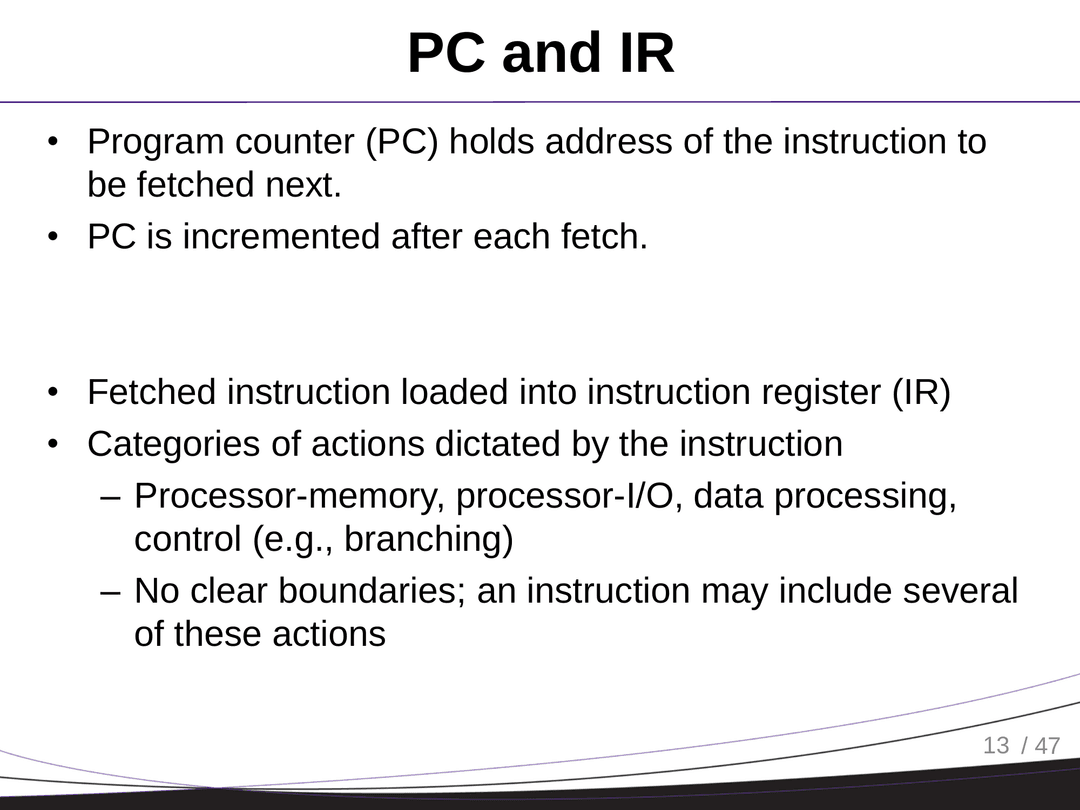
Categories of Instructions
- Processor-memory, processor-I/O, data processing, control (e.g. branching)
Interrupts
- Used to handle slower I/O devices efficiently
- Interrupt = signal to pause and run a different routine
Classes
- Timer, I/O, software exceptions, faults
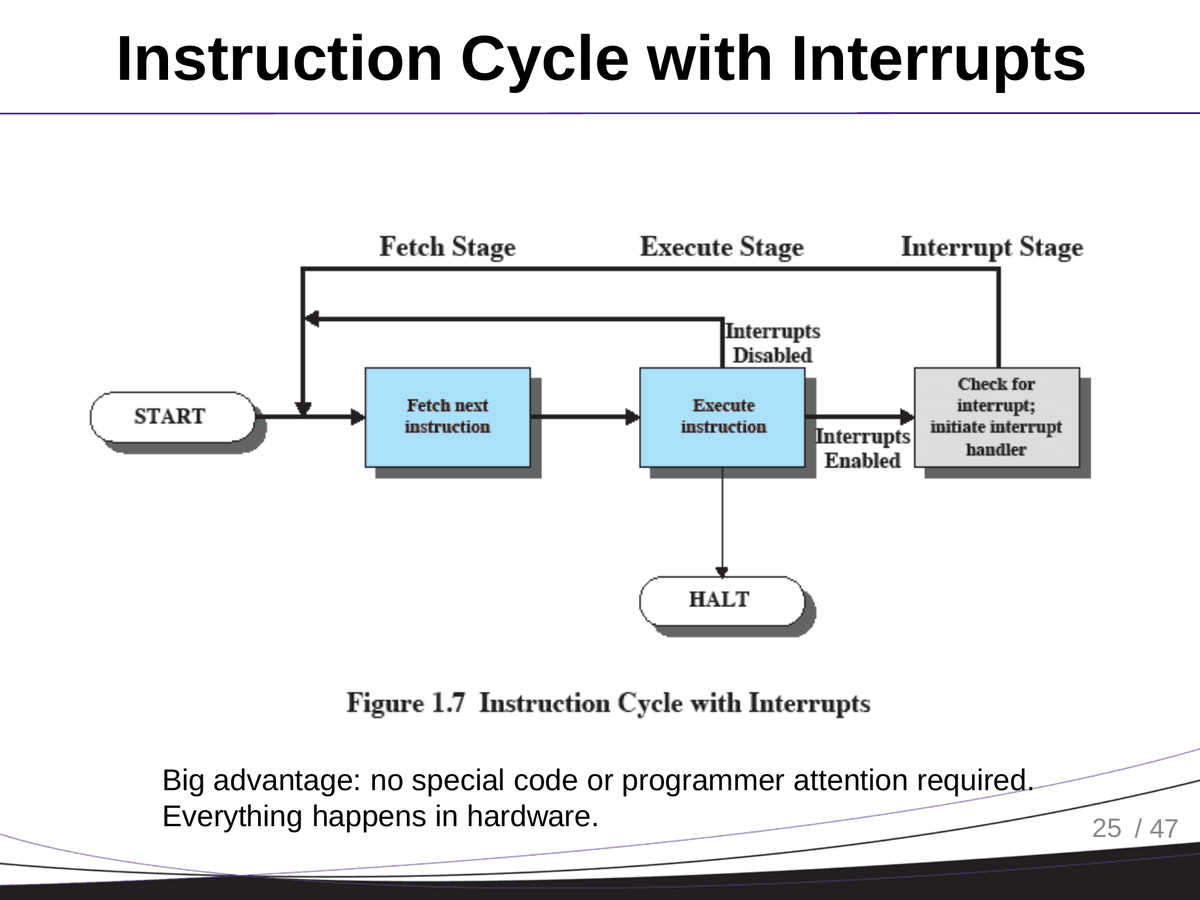
Interrupt Cycle
- Check for interrupt
- Save current context (snapshot)
- Jump to interrupt handler
- Return and restore context
ARM Cortex-M Specifics
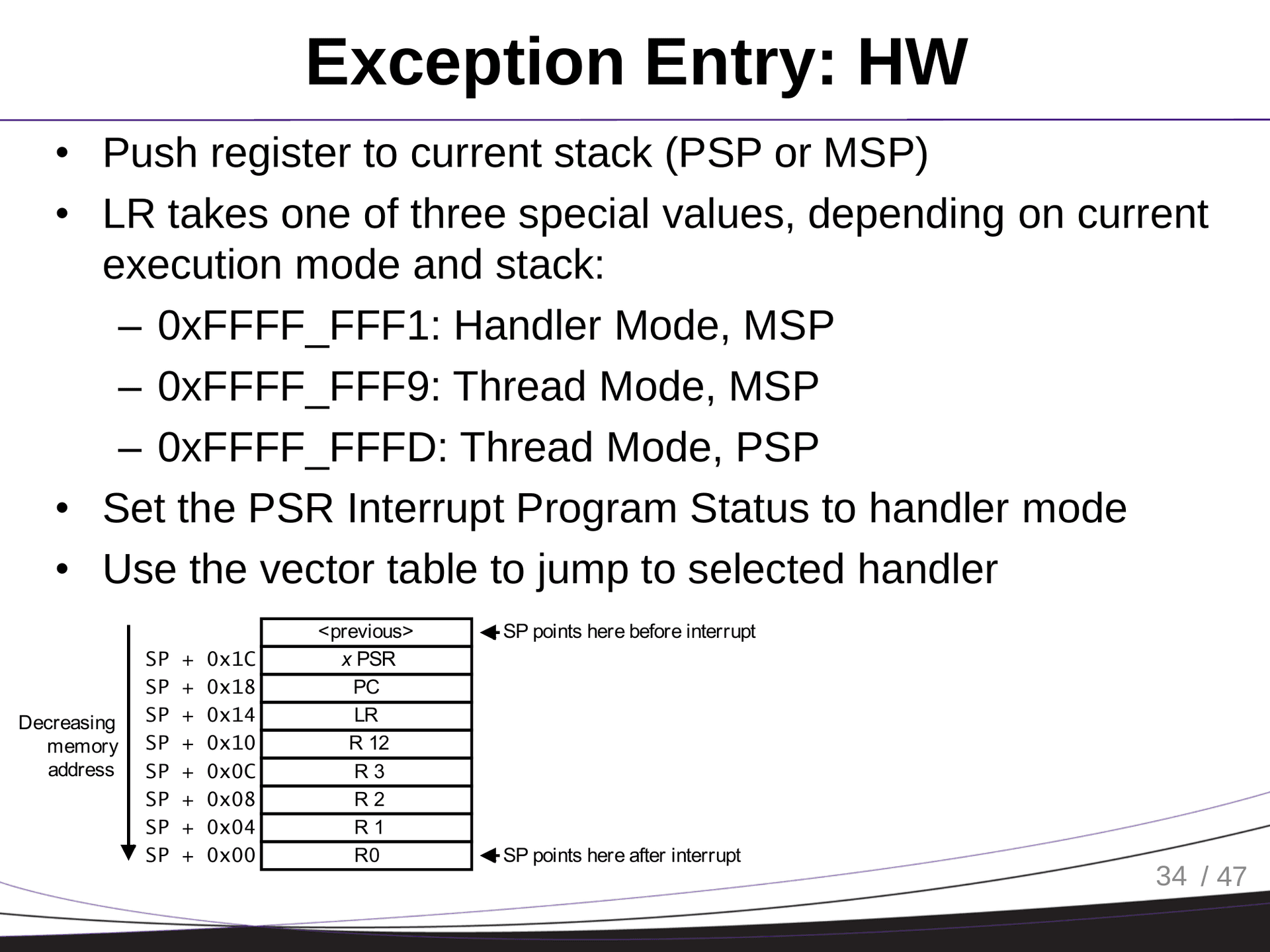
Execution Modes
- Thread Mode (user tasks)
- Handler Mode (interrupts and faults)
Stack Usage
PSPfor threads,MSPfor kernel/handlers
Special Registers
PSR,Control, access via MRS/MSR (privileged only)
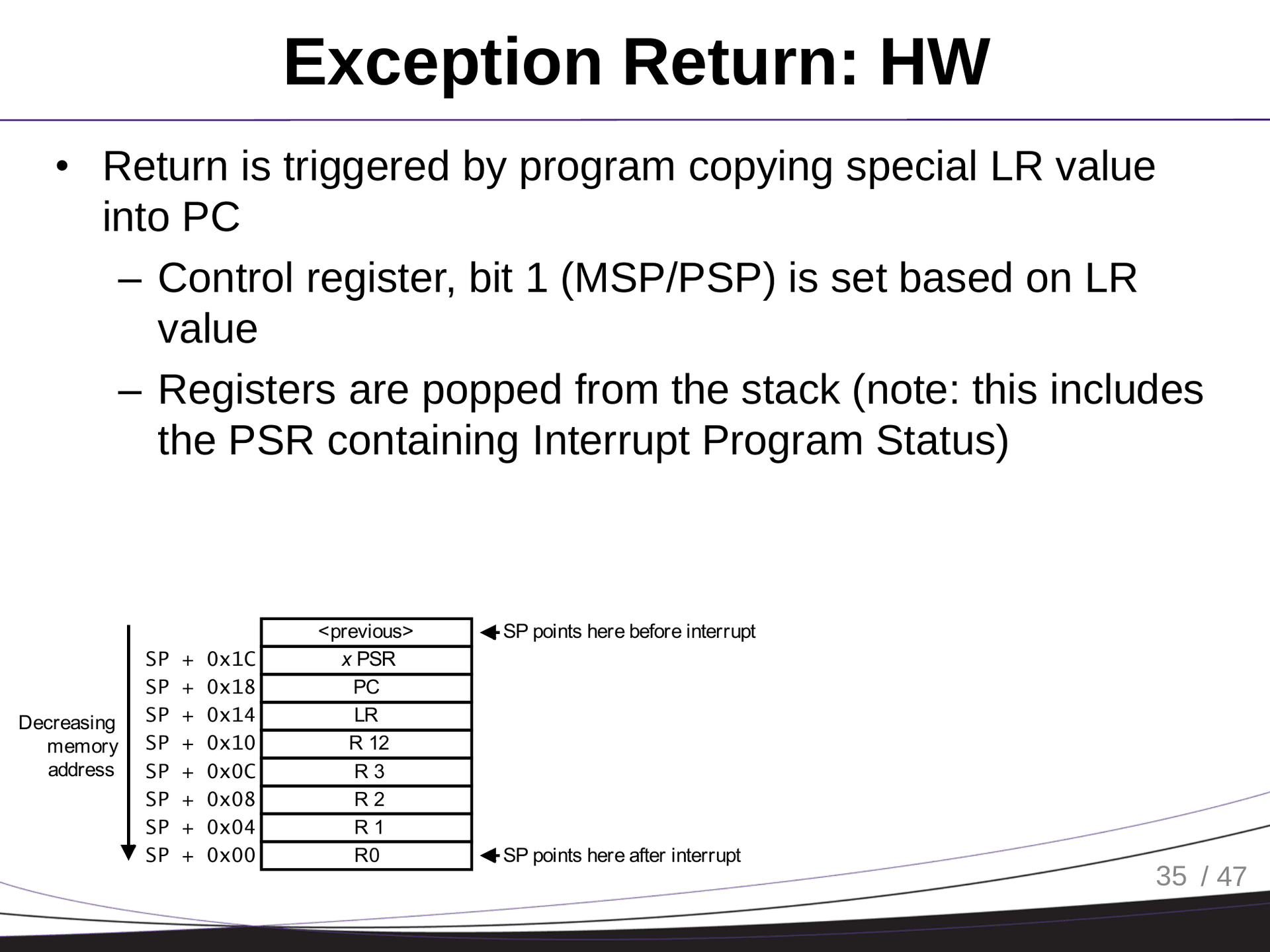
Exception Handling
- Prioritized (Reset > NMI > HardFault > others)
- Vector table holds handler addresses
Supervisor Call (SVC)
- System calls using
SVC #imm - Parameters in R0–R3 or stack
- Danger: unchecked access = privilege escalation
OS and Interrupts (UNIX/Linux)
- Device driver registered
- Library call (e.g.
write) - Interrupt triggers ISR in driver
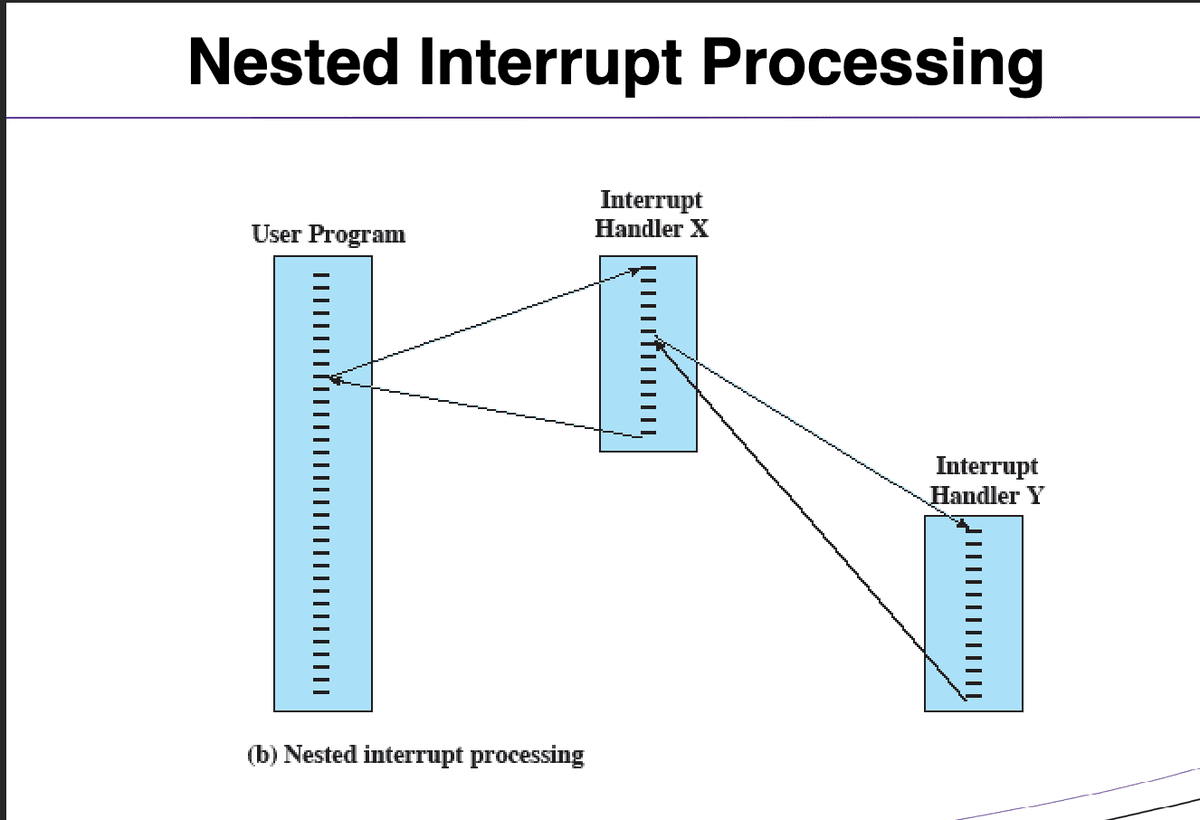
Multiple Interrupts
Approaches:
- Disable interrupts during handling (bad for timing)
- Use priority levels (better)
Multiprogramming
- Run other programs while waiting on I/O
- Scheduler decides which process to run next
I/O Communication Techniques
1. Programmed I/O
- Busy waiting; CPU polls status
2. Interrupt-Driven I/O
- CPU only works when device is ready
- Still goes through CPU (overhead)
- Still consumes a lot of processor time, because every word read/write passes through the processor (two instructions)
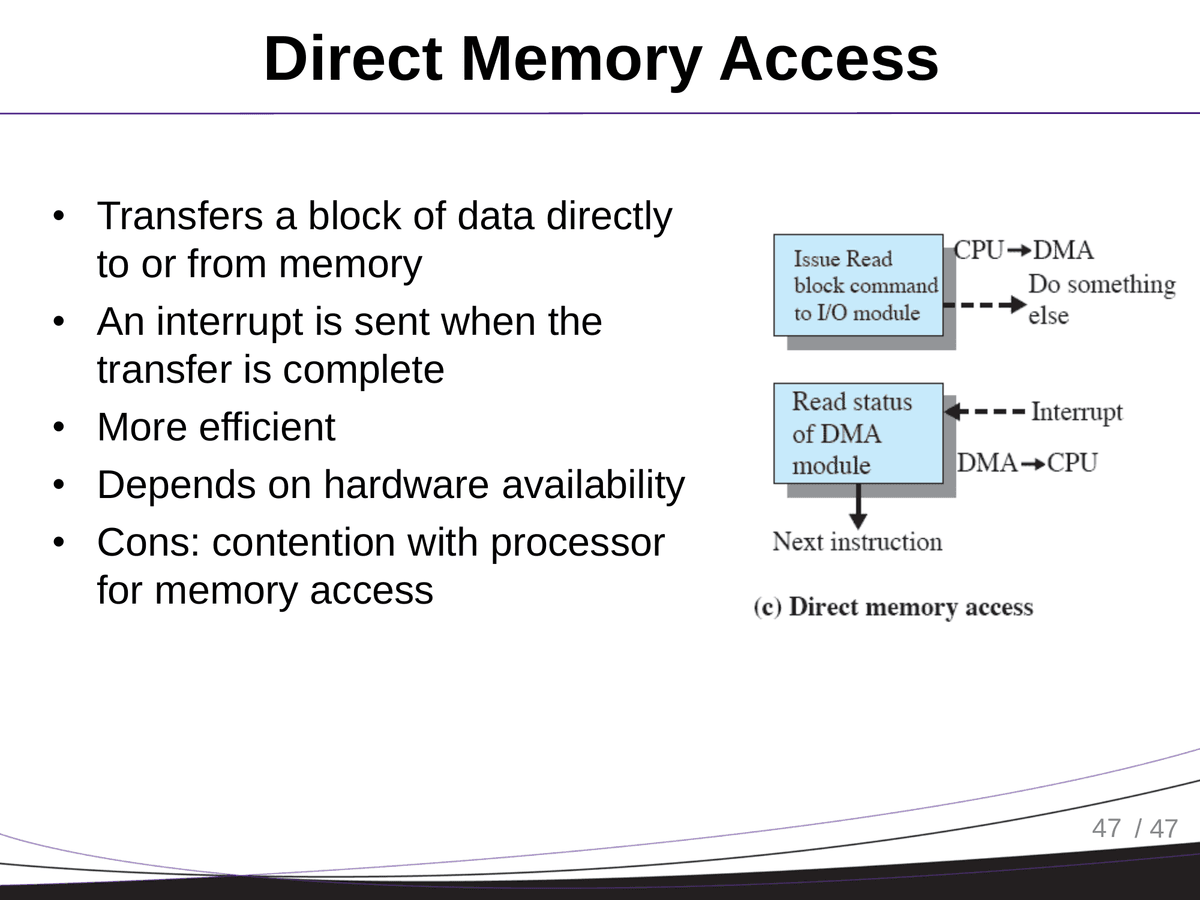
3. DMA (Direct Memory Access)
- Block transfer bypassing CPU
- Sends interrupt only on completion
Next up: Chapter 1 Part 2!